
Stop Juggling 5 Apps to Manage Your Projects
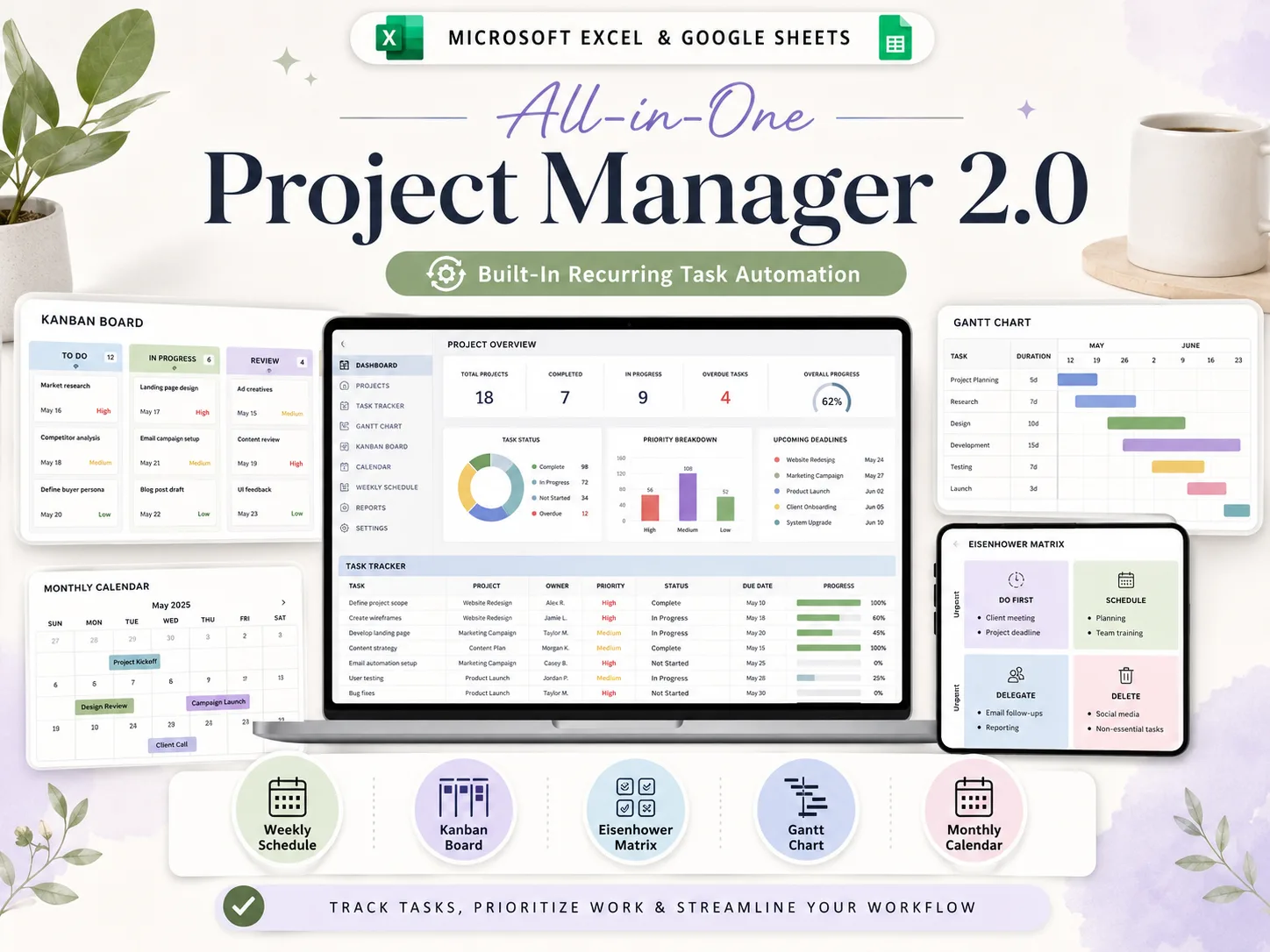
Most teams lose hours every week jumping between sticky notes, free templates, and paid SaaS tools. This all-in-one system gives you a Project Dashboard, Gantt Chart, Kanban Board, Eisenhower Matrix, and auto-updating calendars in one download — Excel and Google Sheets, both included.
- 10 tabs, one connected file
- Excel and Google Sheets, both included
- Auto-updating dashboards & calendars
- Built-in recurring task automation
Instant download • Works with Excel & Google Sheets • One-time payment
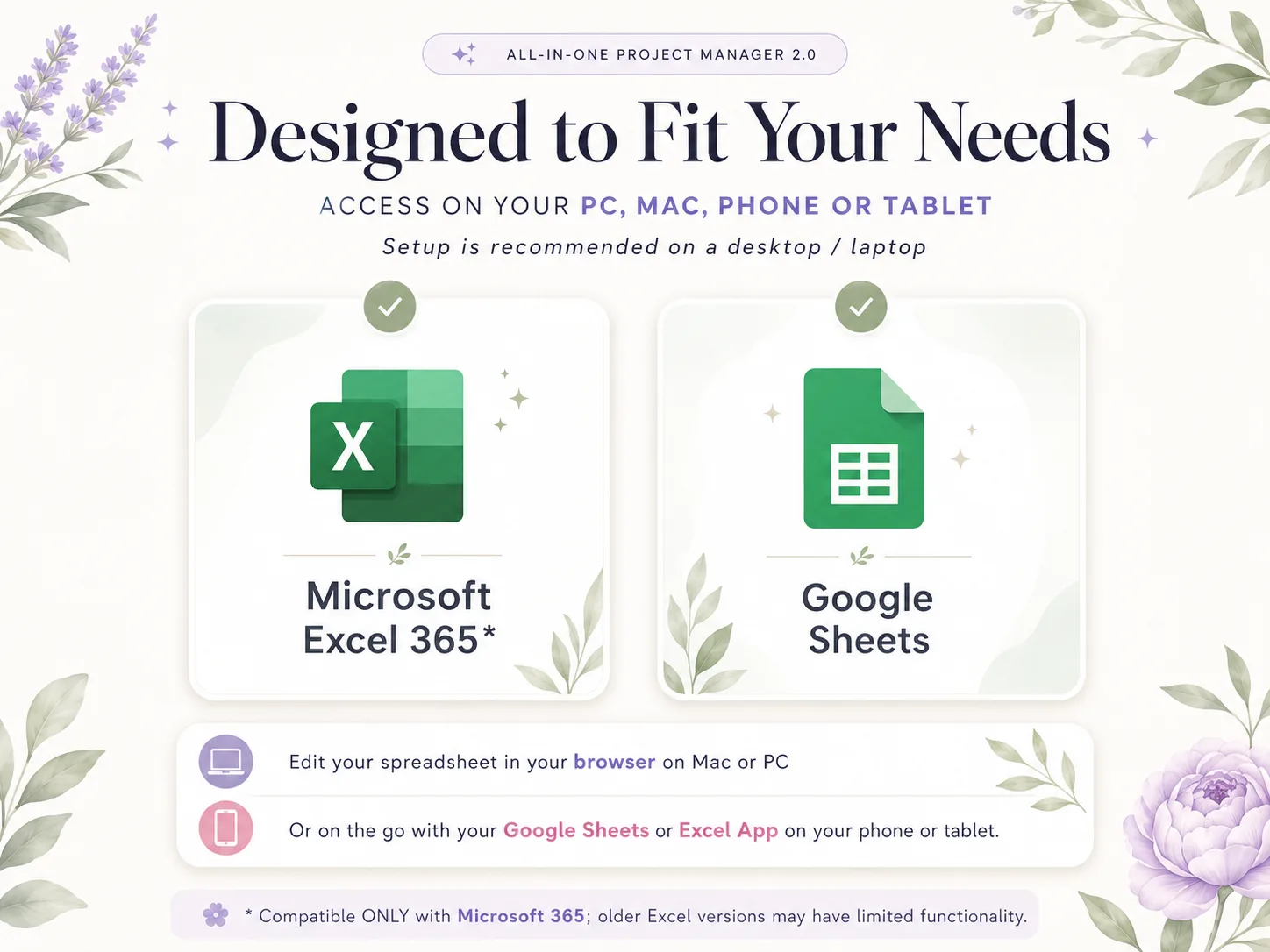
Works wherever you run your projects
10 Tabs. One Central Database. One Download.
Everything you need to plan, track, and deliver your projects: designed, automated, and ready to use today.
What a Real Project Command Center Looks Like
Auto-fill tabs, automated dashboards, and beginner-friendly setup. Tasks, timelines, priorities, and calendars — all in one connected file.
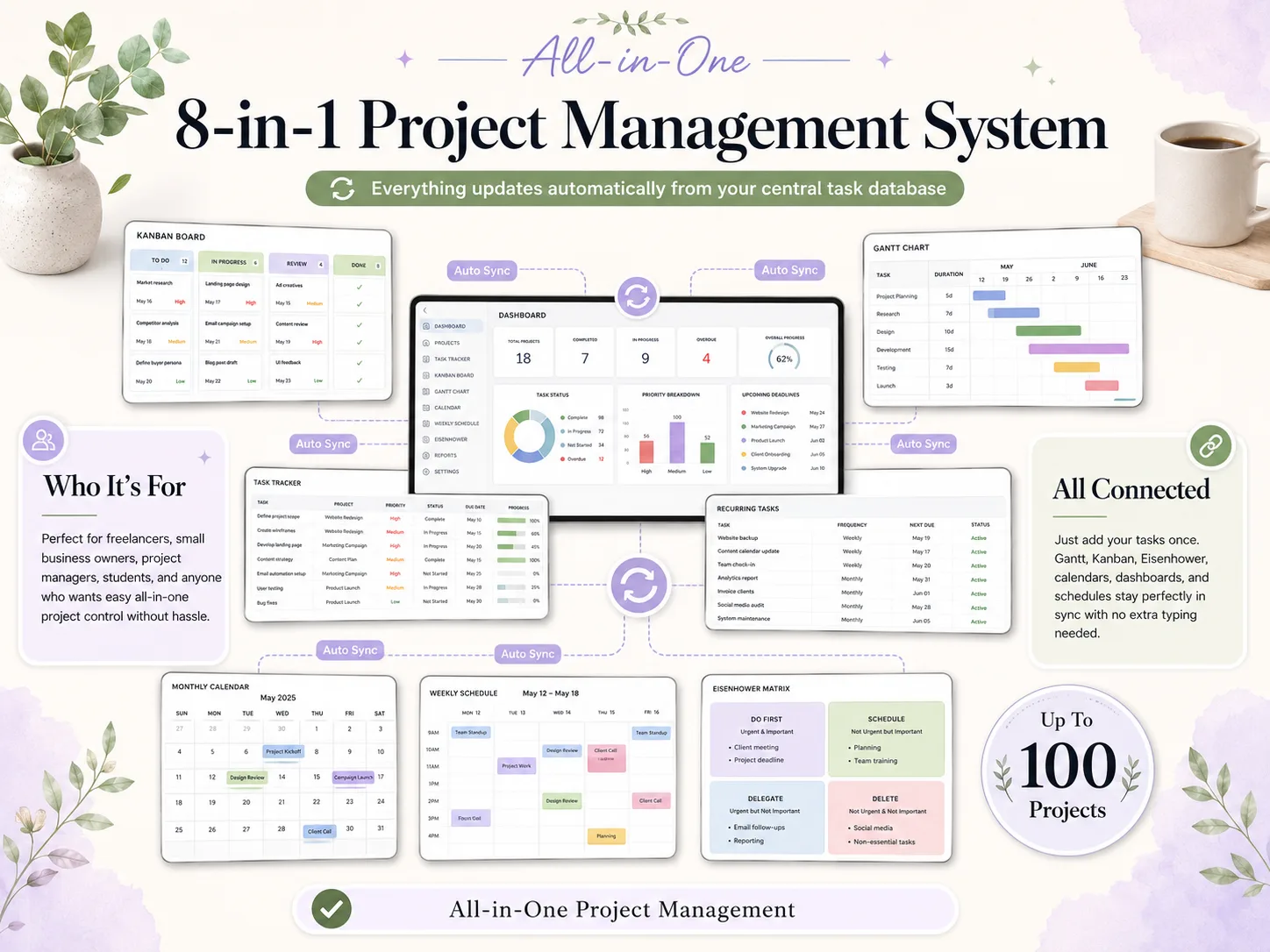
Auto-Updating Dashboards & Calendars
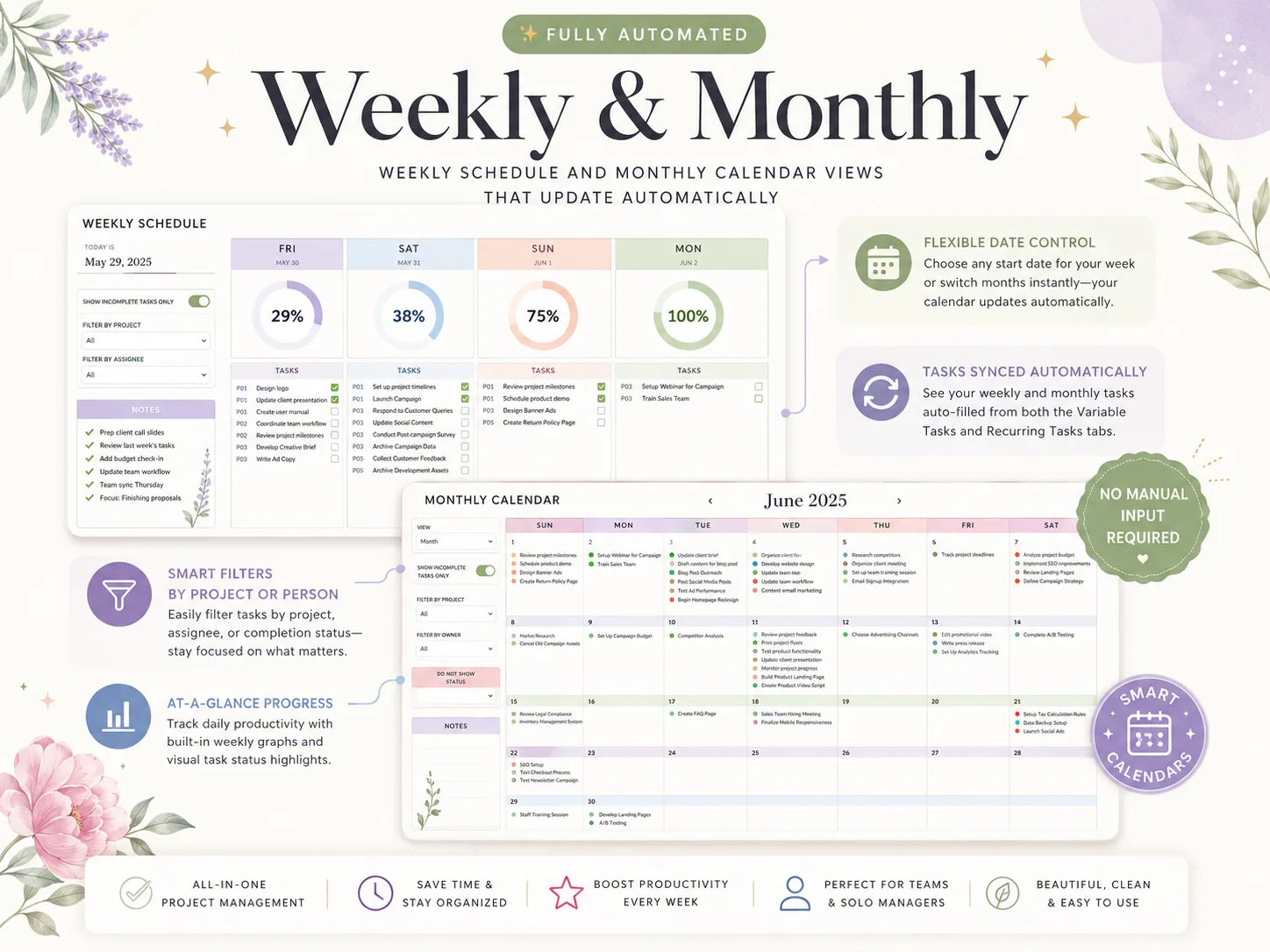
Type your tasks in once. The project dashboard, weekly schedule, and monthly calendar update themselves. No formulas to write.
Excel and Google Sheets, Both Included
One purchase, two formats. Edit in your browser on Mac or PC, or on the go from your phone or tablet.
No Spreadsheet Skills Required
Built for teams and solo managers, not spreadsheet experts. A step-by-step YouTube tutorial with timestamps walks you through every tab.
Built-In Recurring Task Automation
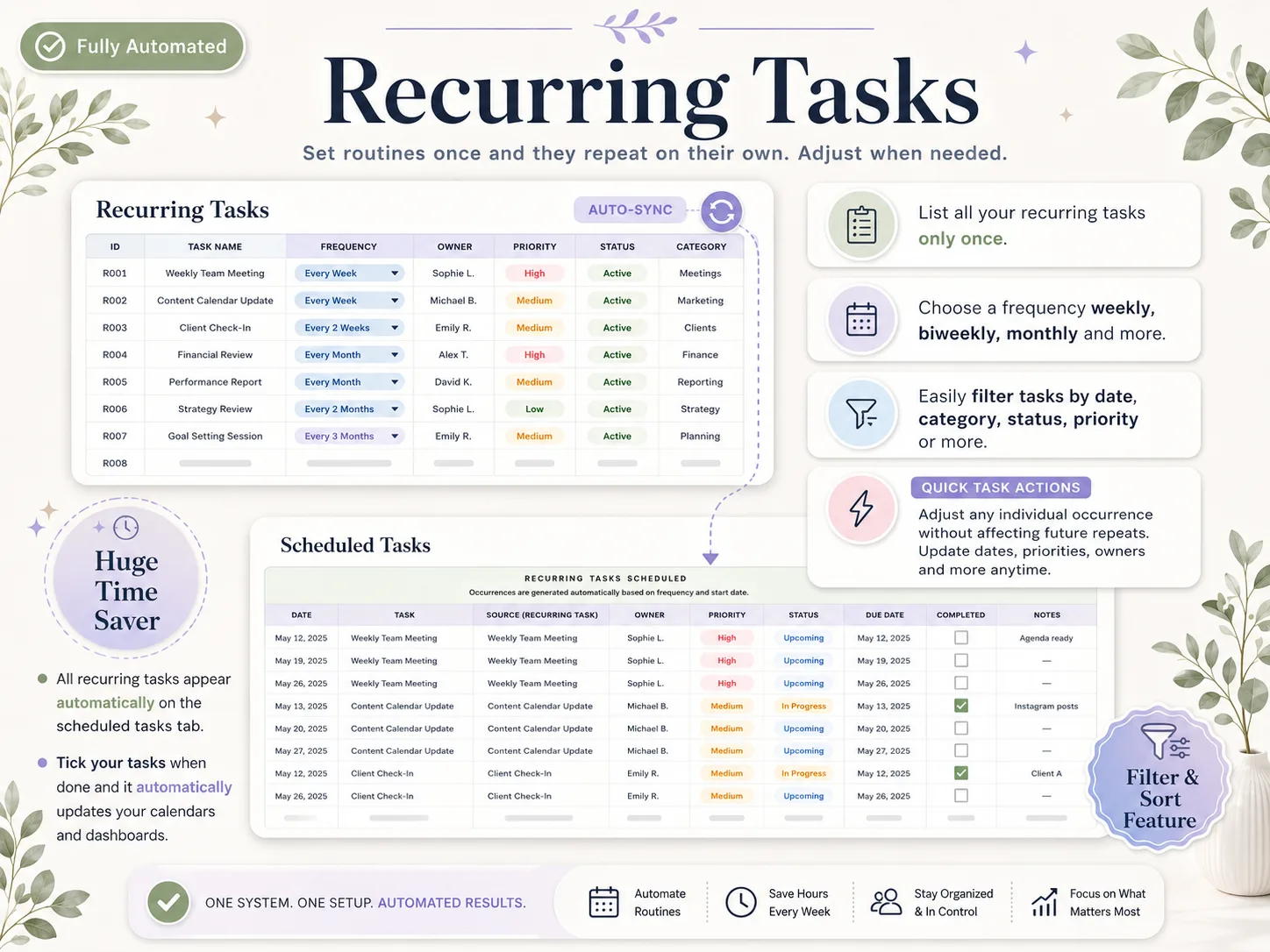
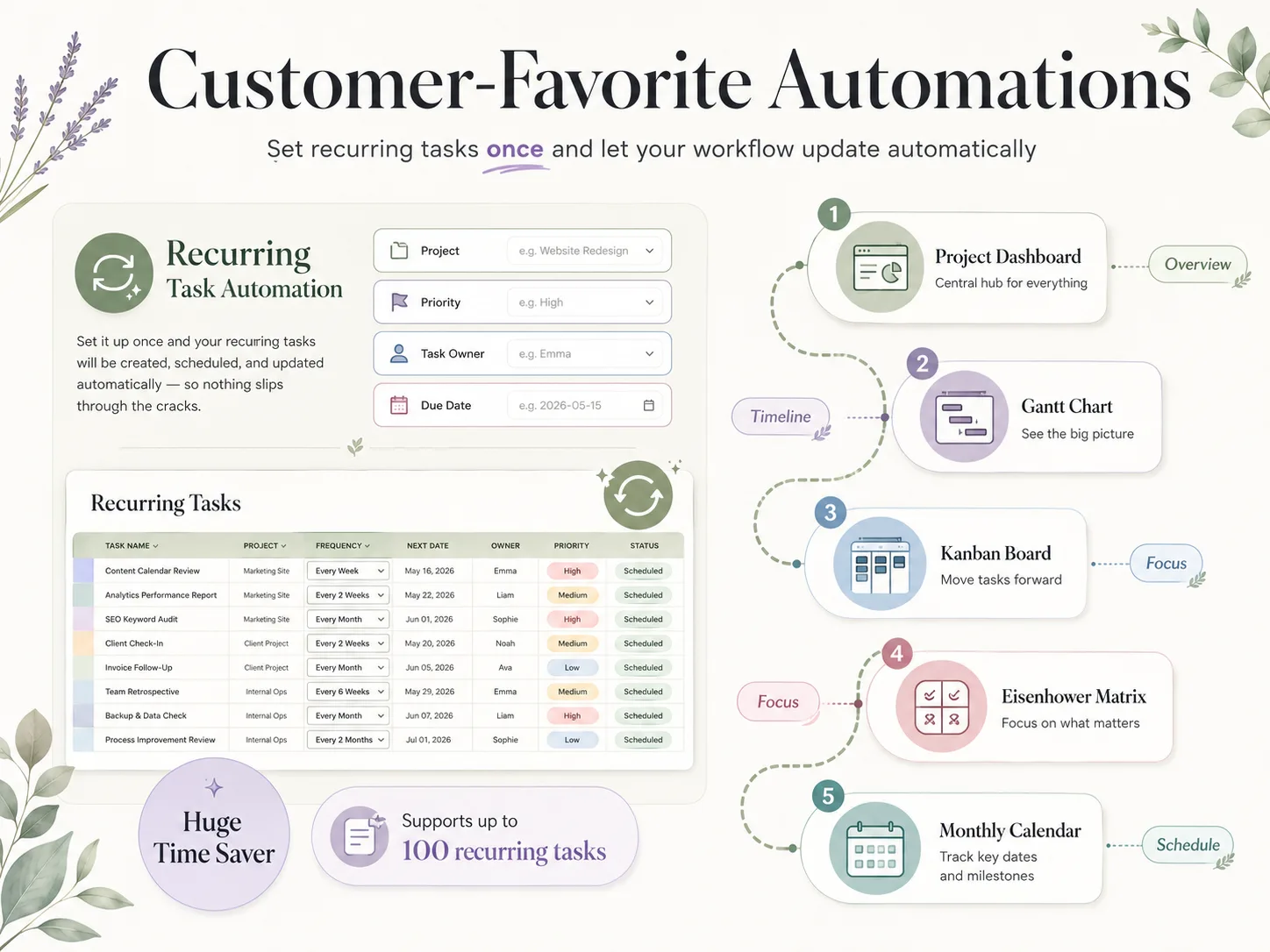
Set a task once, pick a frequency, and it schedules itself forever. Up to 100 recurring tasks with zero manual re-entry.
One Central Task Database
Gantt, Kanban, Eisenhower matrix, calendars, and dashboards all sync from a single task list. Stop juggling five tools.
See Exactly Where Every Project Stands
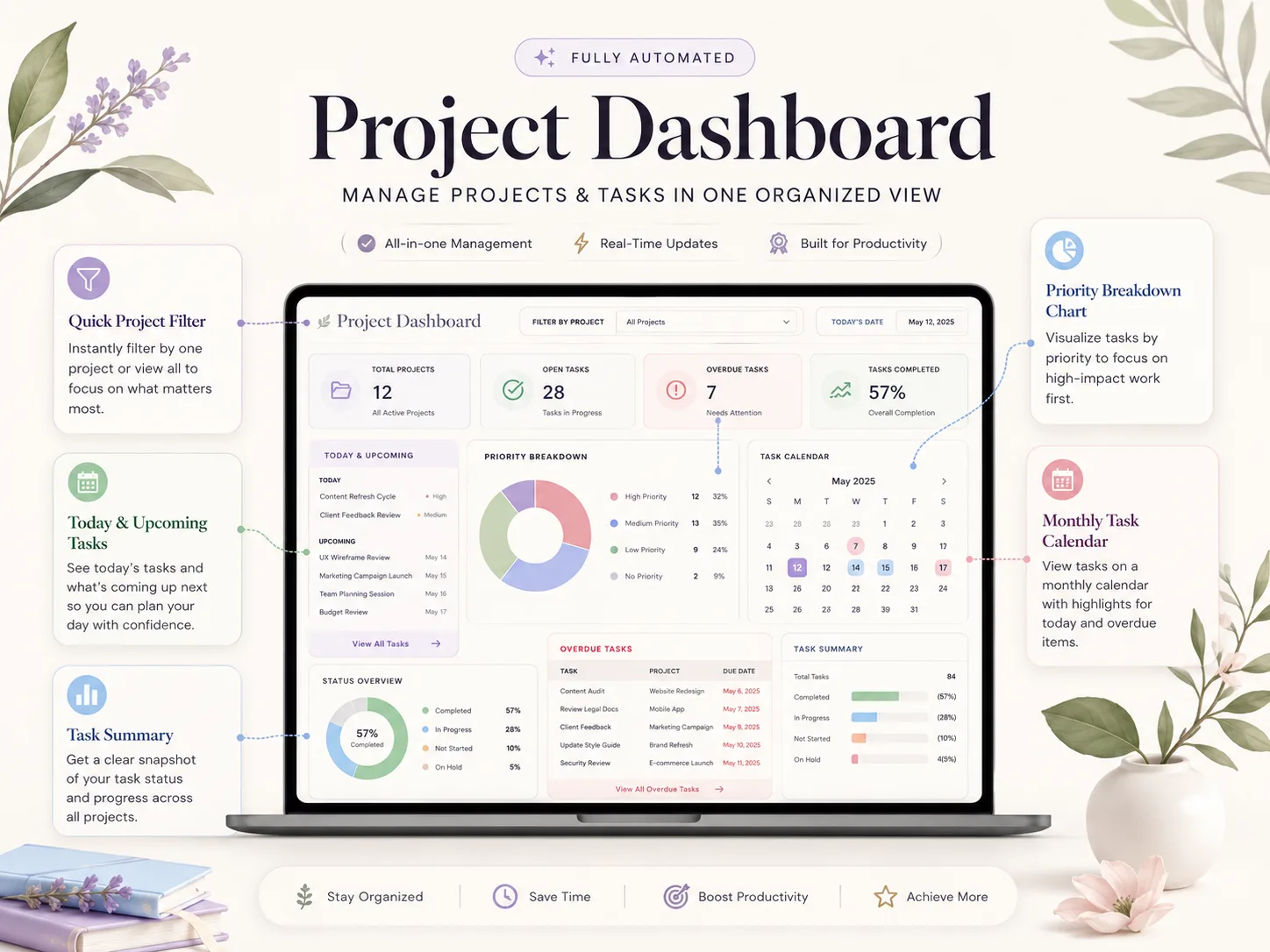
Progress charts, priority breakdowns, and overdue alerts. Turn scattered to-dos into projects you can actually measure.
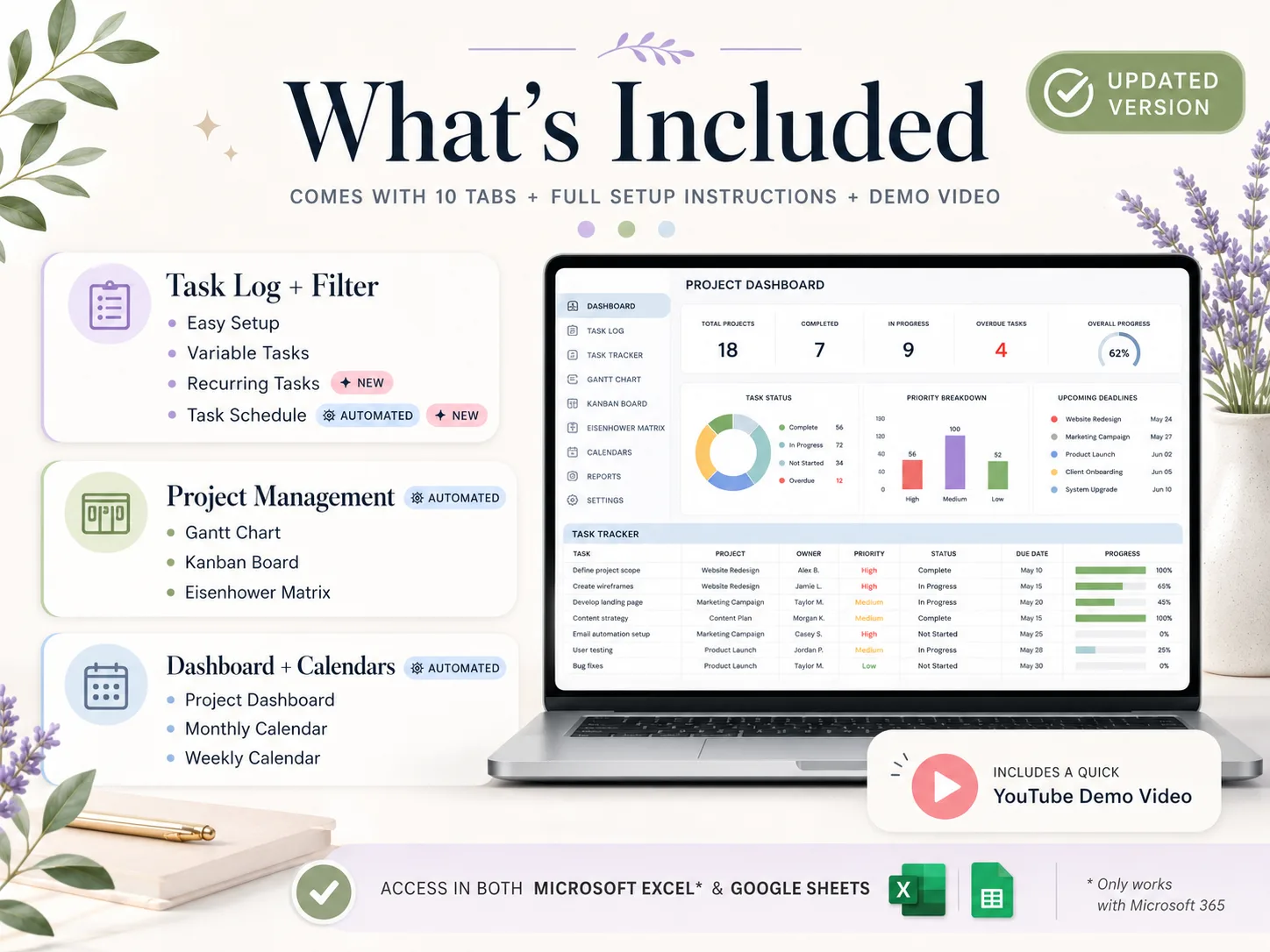
10 Tabs. Everything Listed.
Task Management (Variable + Recurring + Schedule)
Log every task once — owner, project, priority, due date — set recurring routines, and let the schedule build itself. Filter and sort by anything.
Project Views (Gantt, Kanban, Eisenhower Matrix)
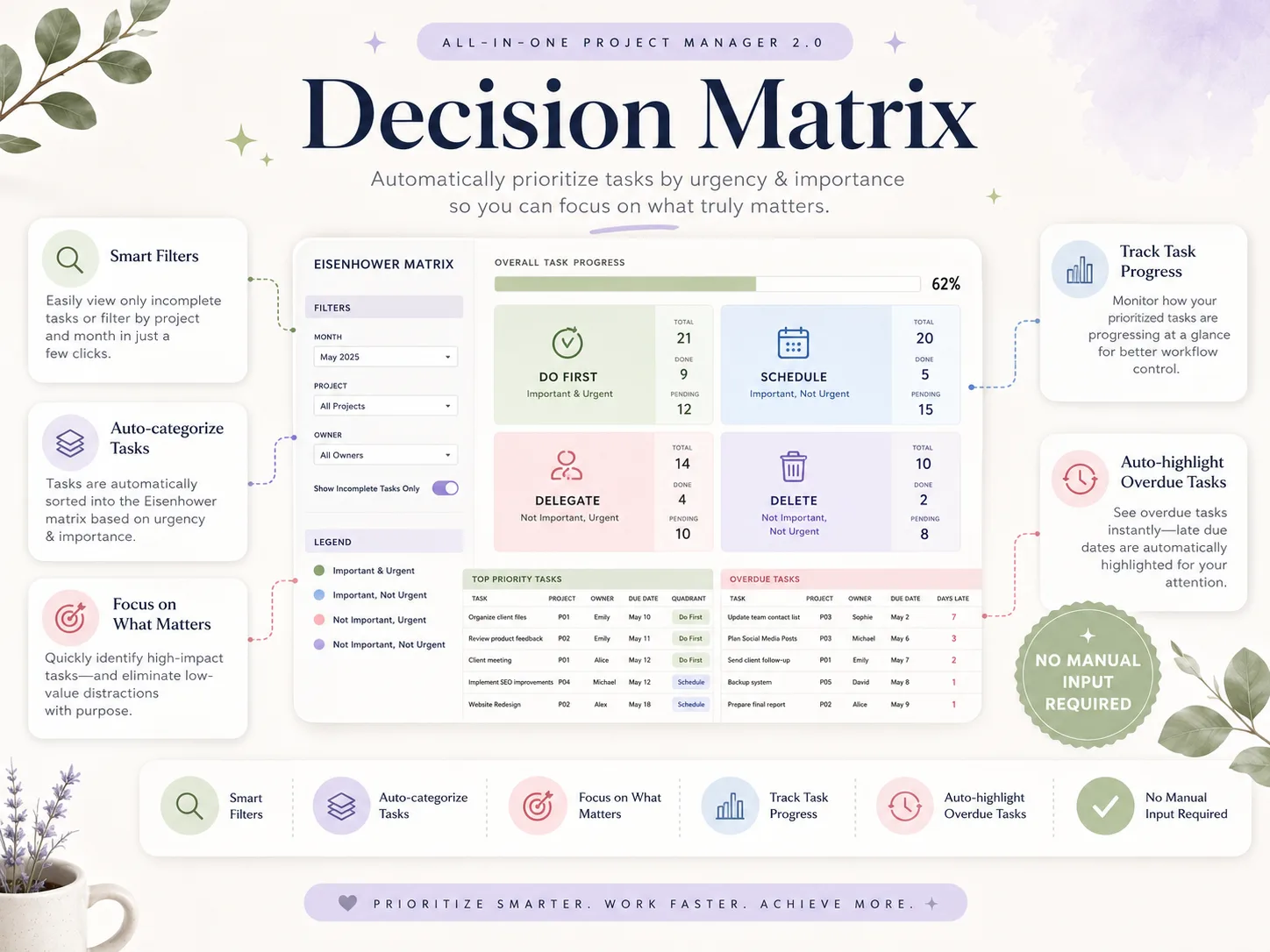
Visualize the same task list as a Gantt timeline, an auto-filled Kanban board, and a decision matrix that sorts your work by urgency and importance.
Dashboards & Calendars (Dashboard, Weekly, Monthly)
A live project dashboard plus weekly and monthly calendars that update themselves from your central task database. Overdue items highlight automatically.
Also Included
Every Tab in the Ultimate Project Manager
Every tab works in Excel and Google Sheets. Type your tasks in once, watch the dashboards, timelines, and calendars build themselves.
Setup & Central Task Database
The foundation of the whole system. Set your projects, owners, categories, and priorities once — every other tab reads from this single source, so nothing is ever entered twice.
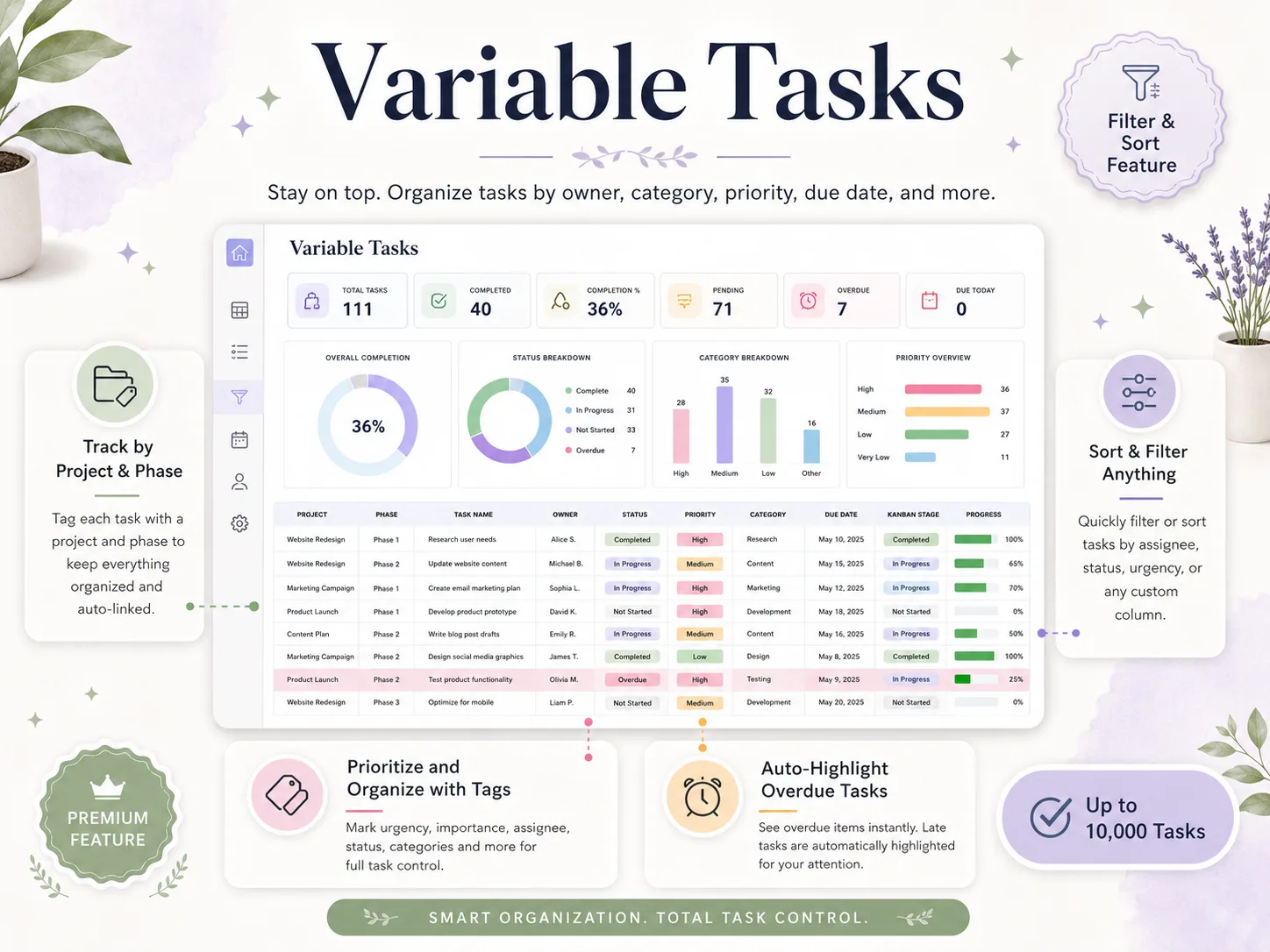
Variable Tasks
Your master task list. Organize every task by project, phase, owner, category, priority, and due date — then filter or sort by anything. Overdue tasks highlight themselves automatically.
Recurring Tasks
Set routines once and they repeat on their own. Choose a frequency — weekly, biweekly, monthly and more — and the schedule generates every occurrence automatically. Up to 100 recurring tasks.
Task Schedule
Every task — variable and recurring — lands on one scheduled view, sorted by date. See what's coming, adjust any single occurrence without touching future repeats, and never miss a deadline.
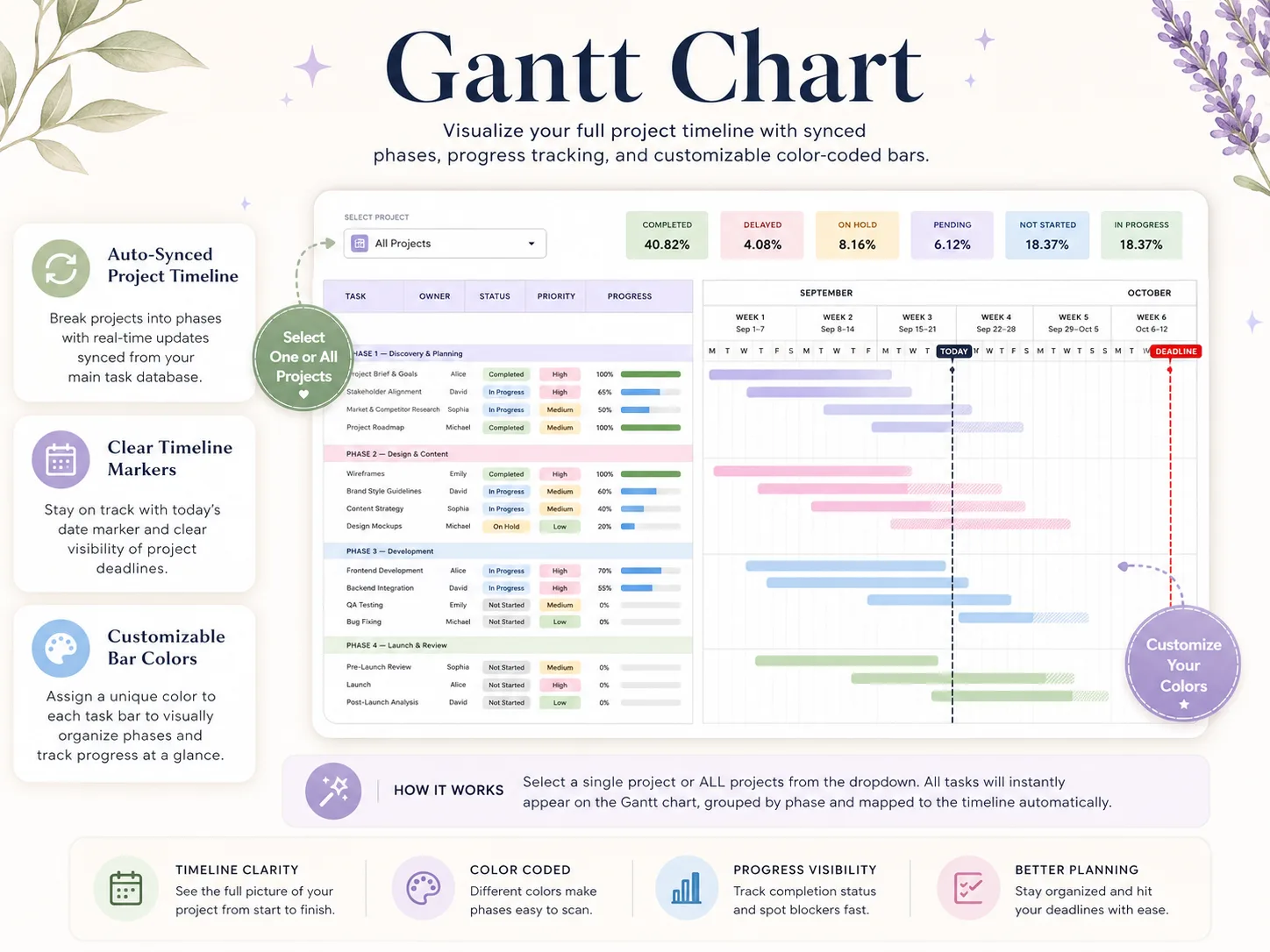
Gantt Chart
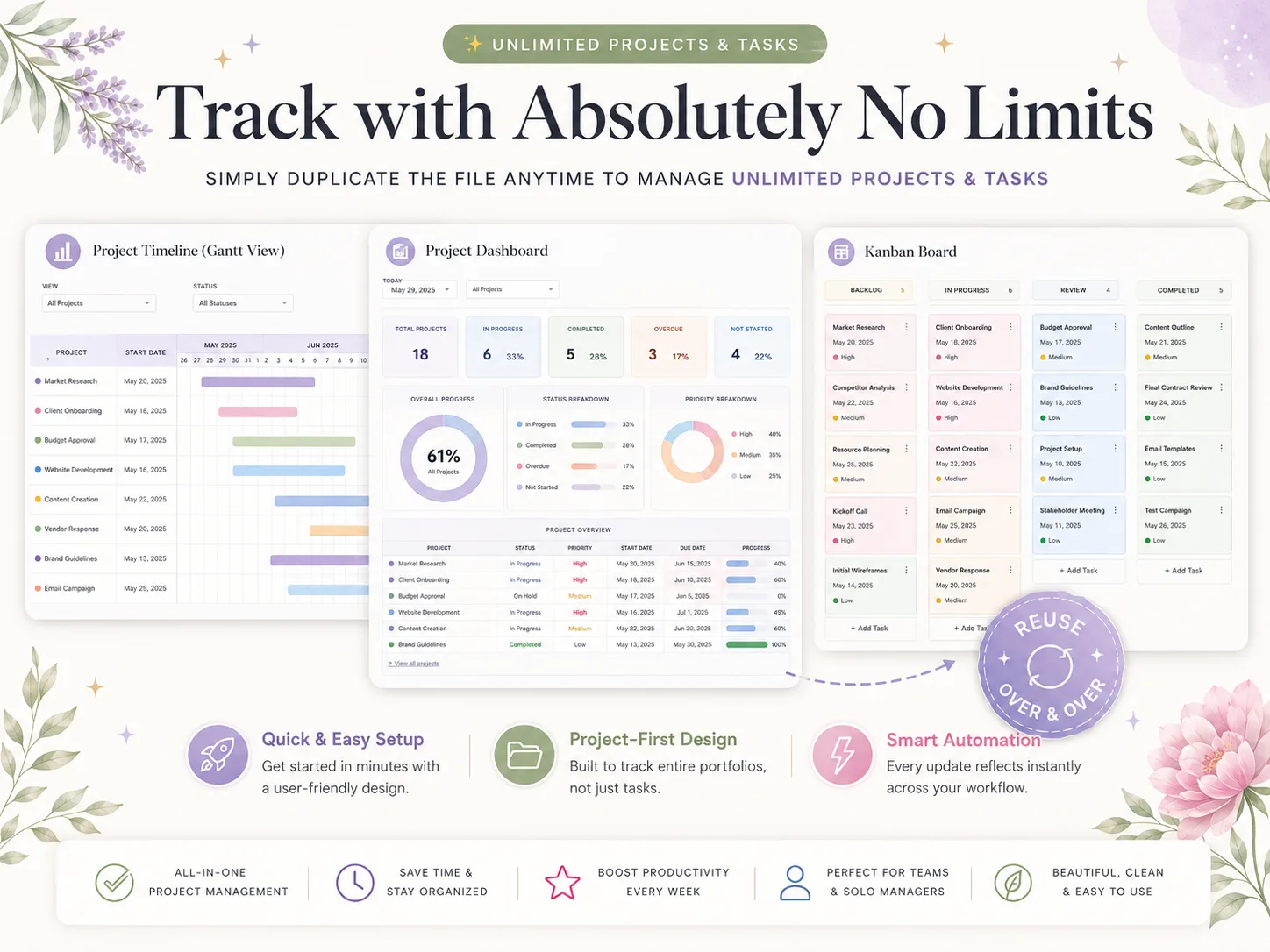
Visualize your full project timeline with synced phases, progress tracking, and customizable color-coded bars. Select one project or all of them and every task maps to the timeline automatically.
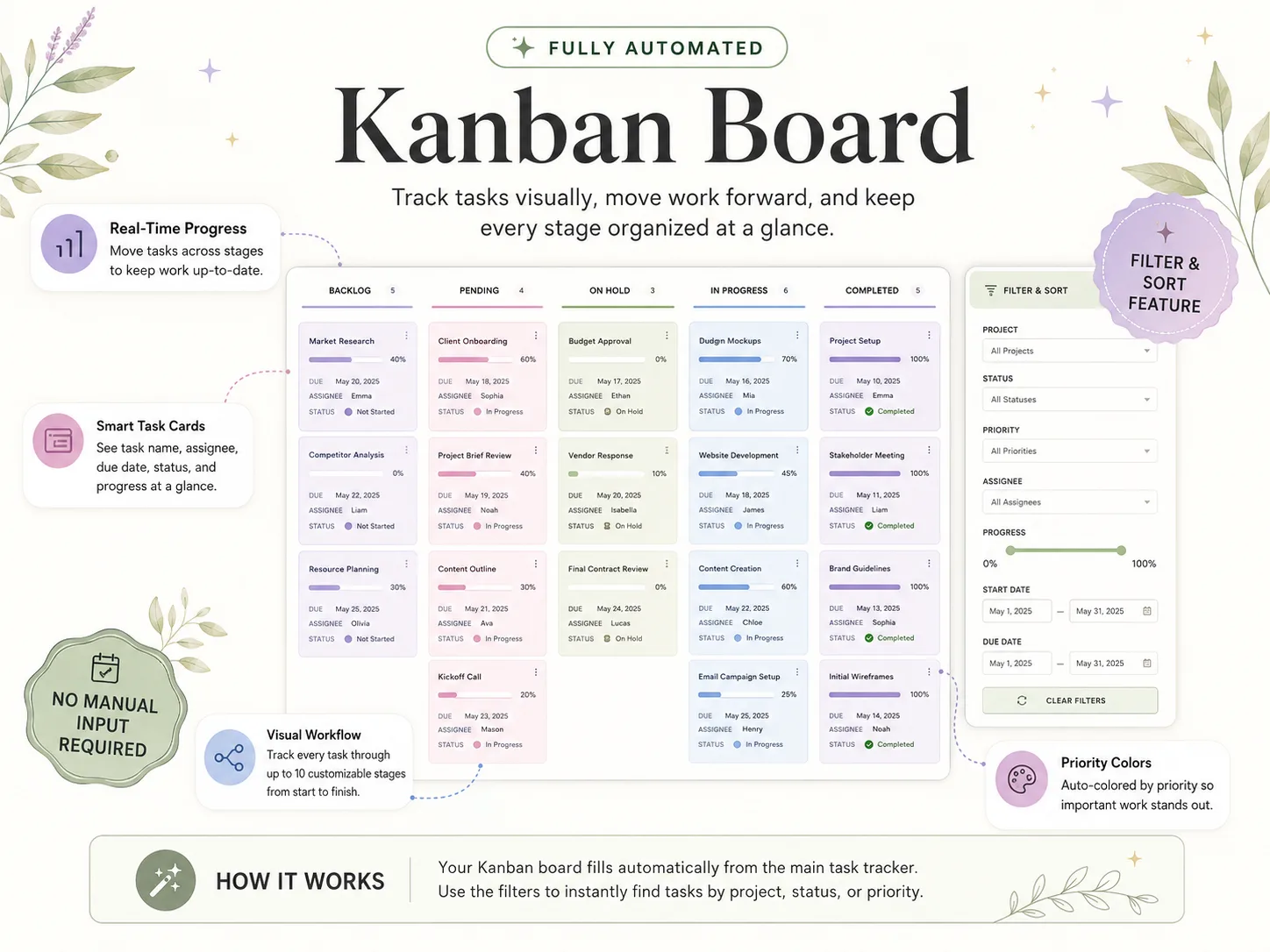
Kanban Board
Track tasks visually across up to 10 customizable stages, from backlog to done. Cards fill in automatically from your task tracker and are color-coded by priority so important work stands out.
Eisenhower Decision Matrix
Automatically prioritize tasks by urgency and importance. Every task sorts itself into Do First, Schedule, Delegate, or Delete — so you focus on high-impact work and cut the low-value noise.
Weekly Schedule
A clean weekly view with daily progress rings and tasks synced from both the Variable and Recurring tabs. Choose any start date, filter by project or assignee, and track daily productivity at a glance.
Monthly Calendar
See every task and milestone across the month on one color-coded calendar. Switch months instantly, highlight today and overdue items, and keep the whole team aligned on what's due when.
All-in-One Project Dashboard
The command center for everything. Total projects, open tasks, overdue alerts, priority breakdowns, a task calendar, and a status overview — all live from your central task database on one screen.
Excel 365 & Google Sheets, on Any Device
Edit in your browser on Mac or PC, or on the go with the Google Sheets or Excel app on your phone or tablet. Setup is recommended on a desktop or laptop.
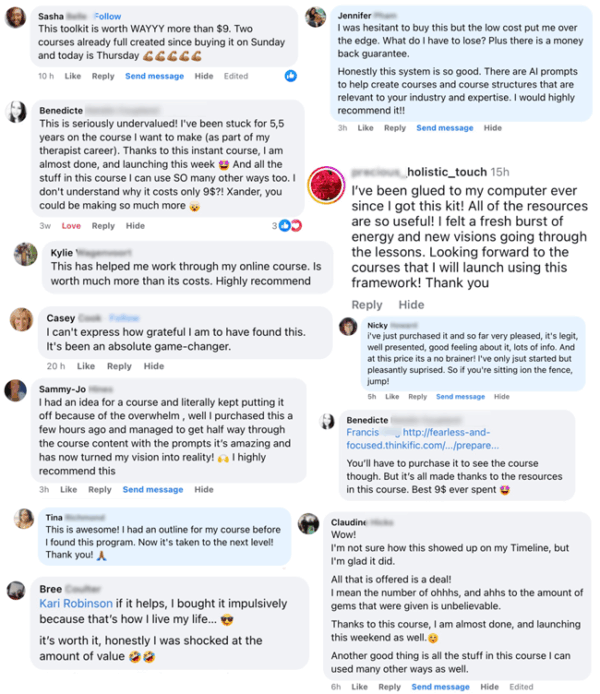
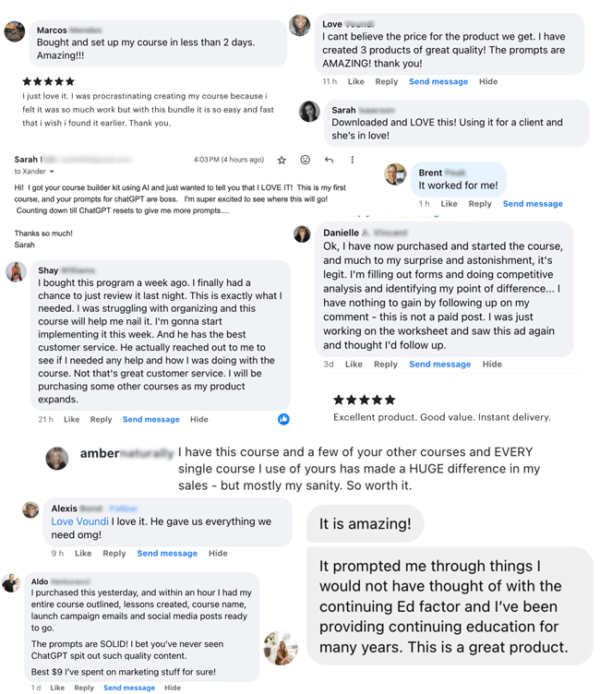
What Project Managers Are Saying
More than 100,000 happy customers — real reviews from real teams and solo managers
Track With Absolutely No Limits
One file handles up to 100 projects and thousands of tasks. Need more? Simply duplicate the file anytime to manage a fresh set of projects — the same connected Dashboard, Gantt, Kanban, matrix, and calendars, reused over and over. Every update reflects instantly across your whole workflow.
10 Tabs, One Download, Yours Forever
Excel and Google Sheets, both included. Open it on your laptop, phone, or tablet. Type your tasks and the dashboards, timelines, and calendars do the rest.
SET UP TONIGHT
Every tab is built, formatted, and pre-formulated. Configure the Setup tab, follow the YouTube tutorial, and you're up and running in under an hour.
ONE PRICE, NO SUBSCRIPTION
Pay once and reuse the file for every project, this year and beyond. Duplicate it whenever you need more. No per-seat fees, no monthly subscriptions.
NO SPREADSHEET SKILLS NEEDED
Beginner friendly. Built for teams and solo managers, not spreadsheet experts. If you can type into a cell, you can run your projects with this system.
How It Works
Get started in minutes with instant digital access
Purchase
Complete your secure checkout
Download
Excel file + Google Sheets link by email
Watch the Tutorial
Step-by-step YouTube walkthrough
Run Your Projects
Type in your tasks, dashboards do the rest
10 Tabs, One System. $9, One-Time.
Everything on this page is included in a single download: the Dashboard, Gantt Chart, Kanban Board, Eisenhower Matrix, task tabs, and calendars, plus the YouTube tutorial. No subscriptions. No upsells.
- Setup, Variable Tasks, Recurring Tasks & Schedule
- Gantt Chart, Kanban Board & Eisenhower Matrix
- Weekly Schedule & Monthly Calendar
- All-in-One Project Dashboard
- Excel & Google Sheets, Built-In Automation
- Setup PDF + Comprehensive YouTube Tutorial
Instant digital download • Works with Excel & Google Sheets • One-time payment
This is a digital product with immediate access after purchase. No refunds on digital downloads.
Why 100,000+ Managers Choose Ultimate Project Manager
One connected system to plan, prioritize, and deliver — Dashboard, Gantt, Kanban, and calendars, all syncing from a single task database.
Frequently Asked Questions
Everything you need to know before you buy